
Getting paid every two weeks sounds like it should make budgeting easier. Two predictable paydays, two opportunities to plan what could go wrong?
Quite a lot, as it turns out. Most budgeting advice is written for monthly income. But biweekly paychecks don’t line up neatly with monthly bills rent is due on the 1st regardless of when your paycheck lands, utilities arrive mid-month, and some months you get three paychecks instead of two. Managing money on a biweekly schedule needs its own system.

This guide gives you that system: a step-by-step biweekly budget setup, a real paycheck calendar showing exactly which bills come from which check, the free template to run it, and what to do with the bonus third paycheck that arrives twice a year.
What Is a Biweekly Budget?
A biweekly budget is a financial budget built around two paychecks per month rather than one lump monthly income. Instead of one big monthly spending plan, you create two smaller plans, one per paycheck that together cover all your monthly expenses, savings, and debt payments.
The key difference: you assign specific bills to specific paychecks based on when those bills are due, rather than thinking about your monthly expenses as a single pool of money.
Why Monthly Budgets Don’t Work for Biweekly Pay
When you receive a biweekly paycheck and try to use a standard monthly budget, two problems appear immediately.
First, your paychecks don’t land on the same date every month. A monthly budget assumes income arrives at a predictable point but your biweekly paycheck might land on the 3rd and 17th one month, then the 7th and 21st the next. Bills have fixed due dates. Your income doesn’t.
Second, most monthly budget planners assume all income arrives at once and all spending is planned together. But if rent is due on the 1st and your paycheck arrives on the 3rd, the math stops working before the month even begins.
A proper biweekly spending plan assigns each bill to the paycheck that arrives closest before it’s due eliminating both problems.
How to Set Up a Biweekly Budget in 6 Steps
Step 1: Calculate Your Actual Take-Home Per Paycheck
Start with the real number what actually deposits in your bank account per paycheck after taxes, insurance, and any other deductions. Not your annual salary divided by 26. The actual deposit amount.
If your paycheck varies slightly, use your lowest typical amount as your baseline. Better to budget conservatively and have a small surplus than to plan on more than arrives.
Step 2: List All Your Monthly Expenses With Due Dates
Write every monthly expense with its due date next to it. Every single one.
Fixed expenses (same amount every month):
- Rent / mortgage — due date: ___
- Car payment — due date: ___
- Insurance — due date: ___
- Loan minimum payments — due date: ___
- Internet — due date: ___
- Phone bill — due date: ___
- Subscriptions — due date: ___
Variable expenses (estimate based on recent months):
- Groceries — weekly ongoing
- Gas — weekly ongoing
- Dining out — weekly ongoing
- Personal care — monthly estimate
- Entertainment — monthly estimate
- Household supplies — monthly estimate
This full list is your bill planner foundation every dollar that needs to leave your account each month, dated and categorized. If you haven’t tracked your monthly expenses before, pulling two months of bank statements gives you accurate numbers to work with.
Step 3: Build Your Biweekly Paycheck Calendar

This is the step that makes the biweekly budget actually work. Assign each bill to the paycheck that arrives closest before its due date.
Here’s a real example:
Paycheck 1 arrives: 1st of the month — $1,650
Bills assigned to Paycheck 1:
- Rent: $1,000
- Internet: $60
- Phone: $45
- Groceries (weeks 1 & 2): $175
- Gas (weeks 1 & 2): $60
- Personal care: $50
- Dining out (weeks 1 & 2): $75
- Savings transfer: $200
- Total assigned: $1,665 ← adjust categories if over
Paycheck 2 arrives: 15th of the month: $1,650
Bills assigned to Paycheck 2:
- Car payment: $280
- Car insurance: $95
- Utilities: $130
- Loan minimum: $150
- Groceries (weeks 3 & 4): $175
- Gas (weeks 3 & 4): $60
- Entertainment: $80
- Dining out (weeks 3 & 4): $75
- Extra debt payment: $200
- Remaining savings: $200
- Total assigned: $1,445 — $205 buffer for miscellaneous
Total monthly income: $3,300 Total assigned: $3,110 Unassigned buffer: $190 goes to sinking funds or extra savings
The calendar approach to managing money biweekly eliminates the “I have no idea why I’m broke” problem every dollar is tied to a specific paycheck, specific bill, and specific date.
Step 4: Build a Spending Plan for Variable Categories

For groceries, gas, dining out, and other variable spending, divide your monthly budget by two and assign half to each paycheck period.
If your monthly grocery budget is $350, Paycheck 1 covers $175 for weeks 1 and 2, and Paycheck 2 covers $175 for weeks 3 and 4. This turns your monthly budget amounts into biweekly caps that are easier to track in real time.
A simple spending plan principle: once the allocated amount for each two-week period is spent, spending in that category stops until the next paycheck. This is the same principle as the cash envelope method just managed digitally across your biweekly cycles.
Step 5: Automate Everything You Can
For a biweekly budget to run smoothly, automation removes the chance of forgetting. Set up automatic payments for every fixed expense on its due date rent, loan payments, insurance, subscriptions.
Automate your savings transfer on the day each paycheck lands not at the end of the month. Waiting until month end to save means saving whatever’s left, which is rarely what you planned.
The goal of a well-run financial budget is to make the correct action happen automatically, and leave only the variable spending decisions to conscious choice.
Step 6: Track Variable Spending Between Paychecks
Between paydays, track every variable expense against your biweekly limits. This is where your money budget planner or expense tracking app earns its place.
A good budgeter habit: check your variable spending once or twice a week not daily (too tedious) and not only at month end (too late to course-correct). The midweek check-in shows you whether you’re on pace to stay within your biweekly limits and whether any adjustment is needed before the next paycheck lands.
The Best Tools and Apps for a Biweekly Budget
Mint (free) The mint expense tracker auto-categorizes every bank transaction and lets you set spending limits per category. The mint financial overview shows you total spending across all categories in real time useful for biweekly tracking because you can see at a glance where you are against your limits at any point in the paycheck cycle.
Goodbudget (free) Built for envelope-style budgeting with a biweekly setup option. Create envelopes for each spending category and allocate amounts per paycheck period. Goodbudget is the best budget app for people who want the envelope method without physical cash.
YNAB (paid) The most powerful budgeting tool available, and particularly well-suited for biweekly paychecks because it’s built around assigning dollars as they arrive rather than planning a full month in advance. If you’ve struggled with other methods, YNAB’s approach to managing money often clicks for biweekly earners.
Google Sheets or Excel (free) A budget excel spreadsheet gives you complete control with no monthly fee. A monthly budget planner excel template downloaded from Google Sheets’ template library can be adapted for biweekly paycheck budgeting in about 10 minutes by splitting columns into two paycheck periods. Search “biweekly budget template Google Sheets” for ready-to-use options.
EveryDollar (free basic) Clean interface for zero-based budgeting that adapts well to biweekly income. The best budget setup for someone who wants simplicity without complexity.
The Free Biweekly Budget Template
The free template linked below includes:
A two-column paycheck layout (Paycheck 1 and Paycheck 2) Fixed expenses section with due date column Variable expenses split across both paycheck periods Savings and debt assignment rows Running totals per paycheck End-of-month reconciliation section
How to Download the Free Template
Step 1:
Scroll down to the button in this article and click “Click Here to Download Free Printable”
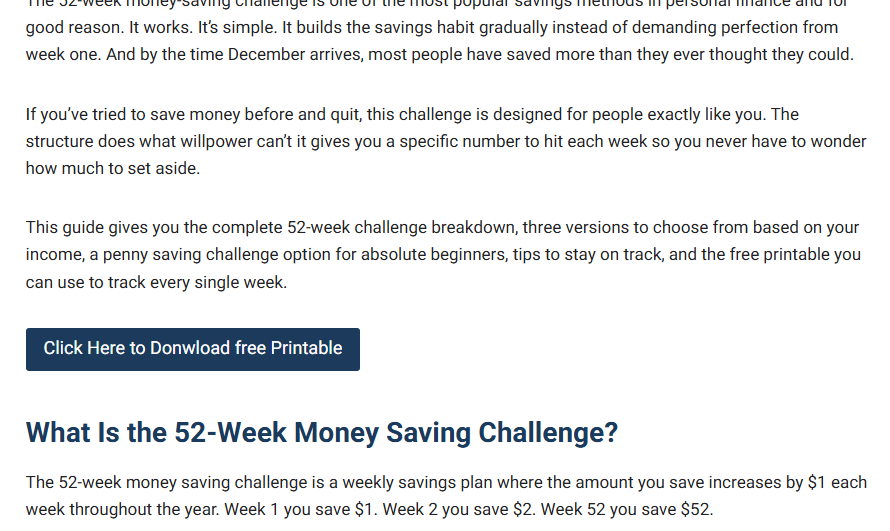
Step 2:
A new page will open showing the printable tracker. Click the “Download / Print Tracker”
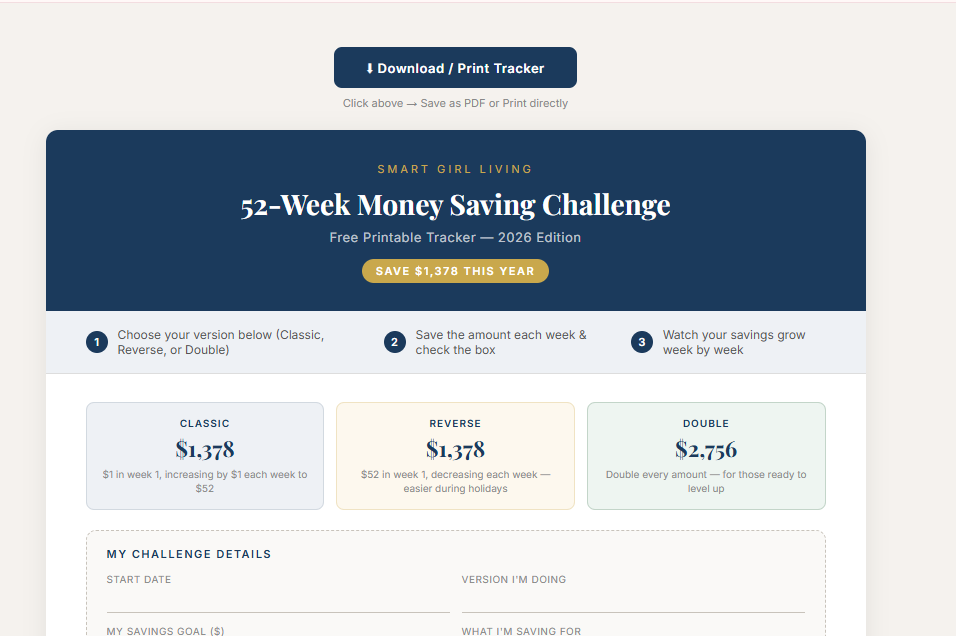
Step 3:
Your browser’s print window will open. Make sure Destination is set to “Microsoft Print to PDF” and Color is set to “Color”. Then click Print.
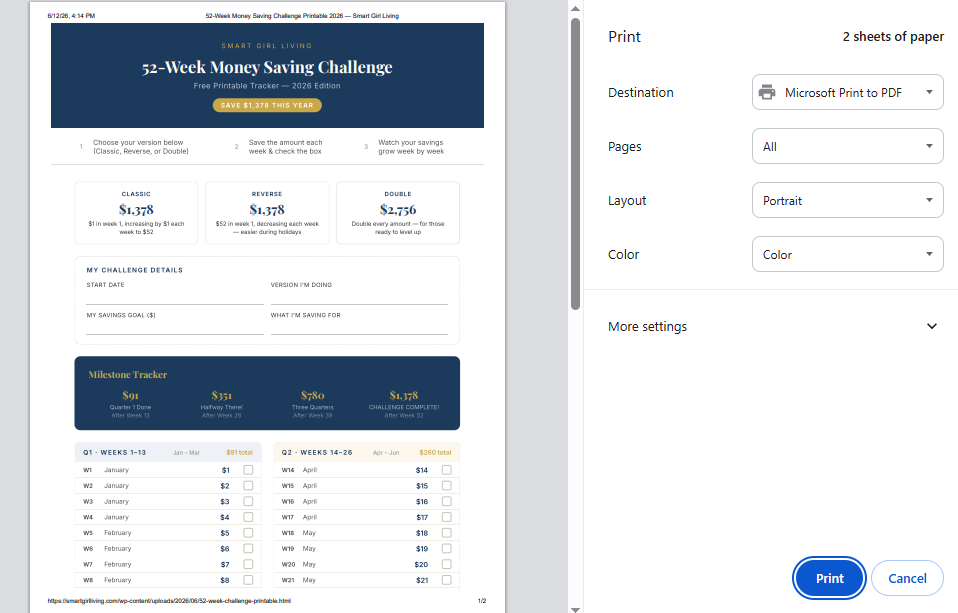
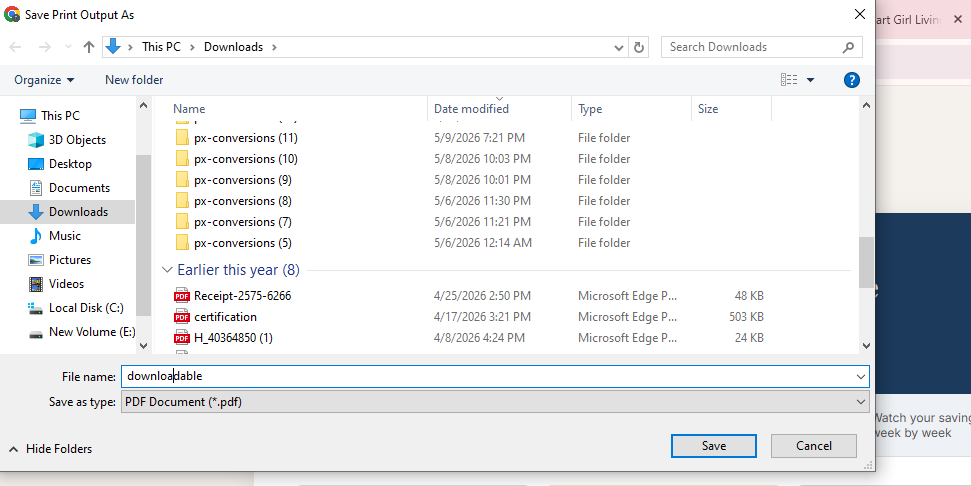
Step 4:
A save dialog will open. Choose your folder, name the file (example: “52-week-challenge-printable”), and click Save. Your PDF is now saved to your computer, ready to print!
The Biweekly Budget Trick Most People Miss: The 3-Paycheck Month
Here’s a benefit of biweekly pay that most people never take advantage of: twice a year, you receive three paychecks in a single month instead of two.
Because your regular bills are assigned to two paychecks and those are already covered, the third paycheck is essentially uncommitted money and most people spend it without a plan.
The financially smart move: treat the third paycheck as a bonus with a pre-assigned purpose before it arrives. Options:
Emergency fund top-up If your emergency fund isn’t fully funded, the third paycheck gets you there faster.
Lump-sum debt payment Applying a full extra paycheck to your highest-priority debt dramatically accelerates payoff.
Sinking funds Load up your Christmas fund, car maintenance fund, or vacation fund in one move.
Savings goal acceleration Whether you’re saving for a house, a trip, or a specific target, the third paycheck can close significant distance.
Decide what your next third paycheck will do before it arrives. Calendar your upcoming third paycheck dates now they’re the same two months every year based on your paycheck schedule and have the plan ready.
Tips for Biweekly Budget Success
Align bill due dates with paycheck dates where possible. Call your utility company, loan servicer, or phone provider and ask to change your due date. Many companies allow one free change per year. Moving a bill due date from the 5th to the 18th can align it perfectly with your second paycheck and eliminate cash flow gaps.
Build a one-paycheck buffer if you can. Living one paycheck behind where you’re spending last paycheck’s money while the next one sits in savings creates significant stability. It takes discipline to build initially but removes all cash flow timing stress once established.
Review your biweekly budget after every paycheck. A five-minute check-in each payday how did the last two weeks go, and what gets adjusted for the next two keeps the budget accurate and responsive to real life.
Separate variable spending accounts from bill money. Some biweekly budgeters use two accounts: one where fixed bills are paid automatically, and one where variable spending money lives. This makes it physically impossible to accidentally spend bill money on groceries.
Common Biweekly Budgeting Mistakes

Treating both paychecks identically. Bills aren’t evenly distributed. Rent comes from one paycheck, car payment from another. Build the calendar to reflect actual due dates, not an arbitrary 50/50 split.
Forgetting sinking fund contributions. Annual expenses car registration, holiday gifts, back-to-school shopping need monthly contributions in your spending plan. Without them, they show up as emergencies.
Not adjusting for months with different paycheck dates. Your biweekly paycheck calendar shifts slightly each month. Review at the start of each month to make sure the bill assignments still align with when each check actually arrives.
Final Thoughts on Biweekly Budgeting
A biweekly budget isn’t complicated it’s a monthly budget with one extra layer: assigning specific bills to specific paychecks based on due dates. That one adjustment solves the timing problems that make monthly budgets fail for biweekly earners.
Build your paycheck calendar. Automate your fixed expenses. Track your variable spending between paychecks. Decide now what the next third paycheck will do.
The template makes the setup faster download it, fill in your numbers, and you have a working biweekly budget in less than 30 minutes.
For the broader budget framework that the biweekly method slots into, my guide on how to make a budget for beginners covers the foundational steps you can apply alongside this paycheck-specific approach.
If you’re combining your biweekly budget with active debt payoff, the how to pay off debt fast guide explains exactly how to assign those extra third-paycheck dollars for maximum debt reduction.
And if you want to turn your biweekly savings contributions into a specific year-end target, the 52-week money saving challenge maps directly onto a biweekly pay schedule.